
Lead Disposition Tracking Guide
Learn how to track and manage the progress of your leads through the SellerPortal sales pipeline.
Overview
Lead disposition tracking helps you follow every lead as it moves through your sales pipeline. Real-time updates show where prospects stand so you can make informed decisions and boost performance.
What is Disposition Tracking?
Disposition tracking categorizes each lead's status throughout the sales process. It gives you a clear view of your pipeline and:
- highlights conversion trends
- keeps your team accountable
- provides data you can act on
How It Works
Sales Pipeline Stages
The SellerPortal pipeline flows through these stages:
- Unactioned – new leads that haven't been contacted
- Attempting Contact – outreach is in progress
- Made Contact – you've connected with the prospect
- Meeting Held – a meeting or discovery call occurred
- Proposal Sent – a formal proposal has been delivered
Leads ultimately end up as one of these outcomes:
- Won – successfully converted
- Lost – did not convert, with a reason recorded for analysis
Getting Started
Accessing Disposition Tracking
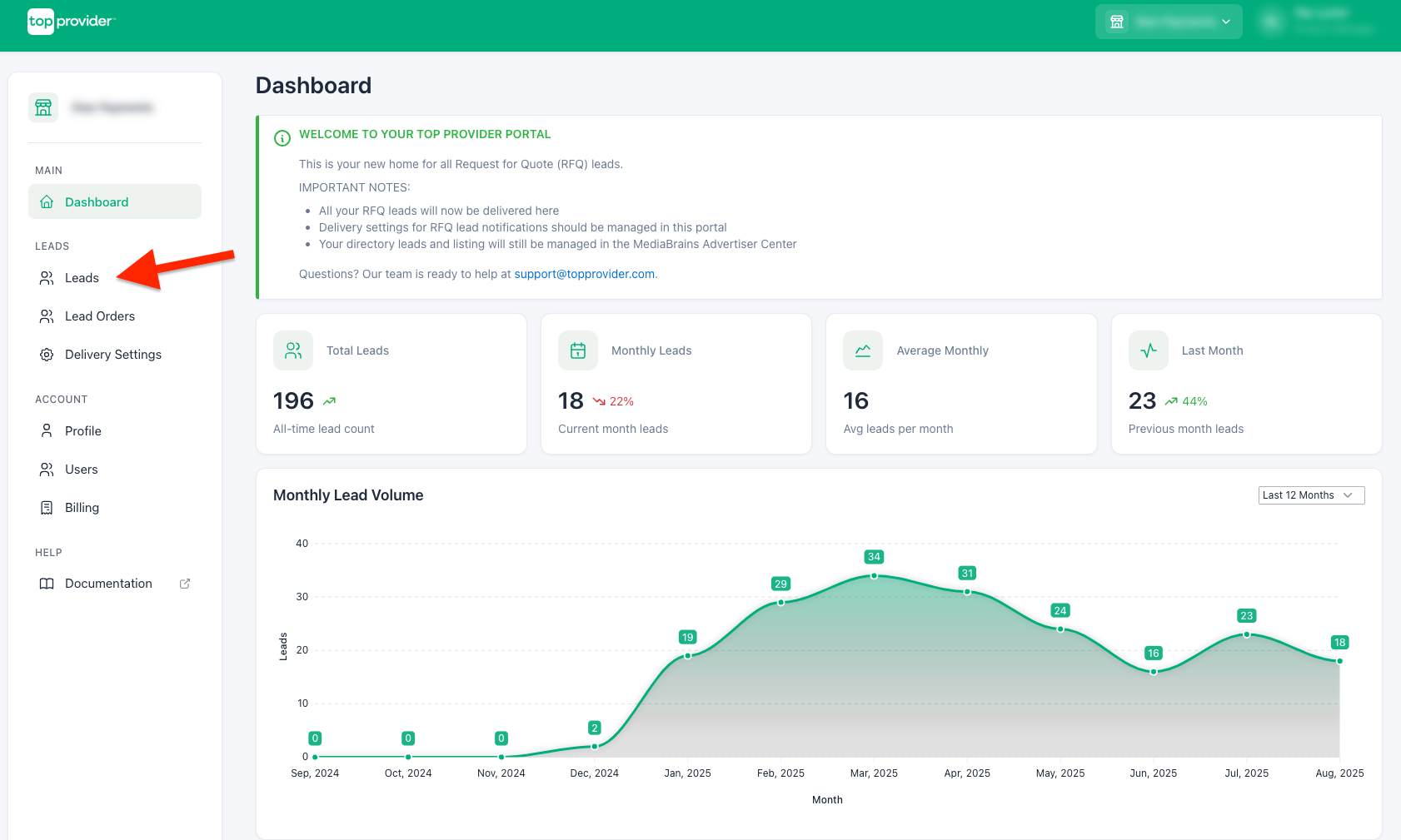
Open Leads Page
Open the Leads page in SellerPortal
Update Lead Status
In the table, use the Status dropdown next to each lead to update where it stands
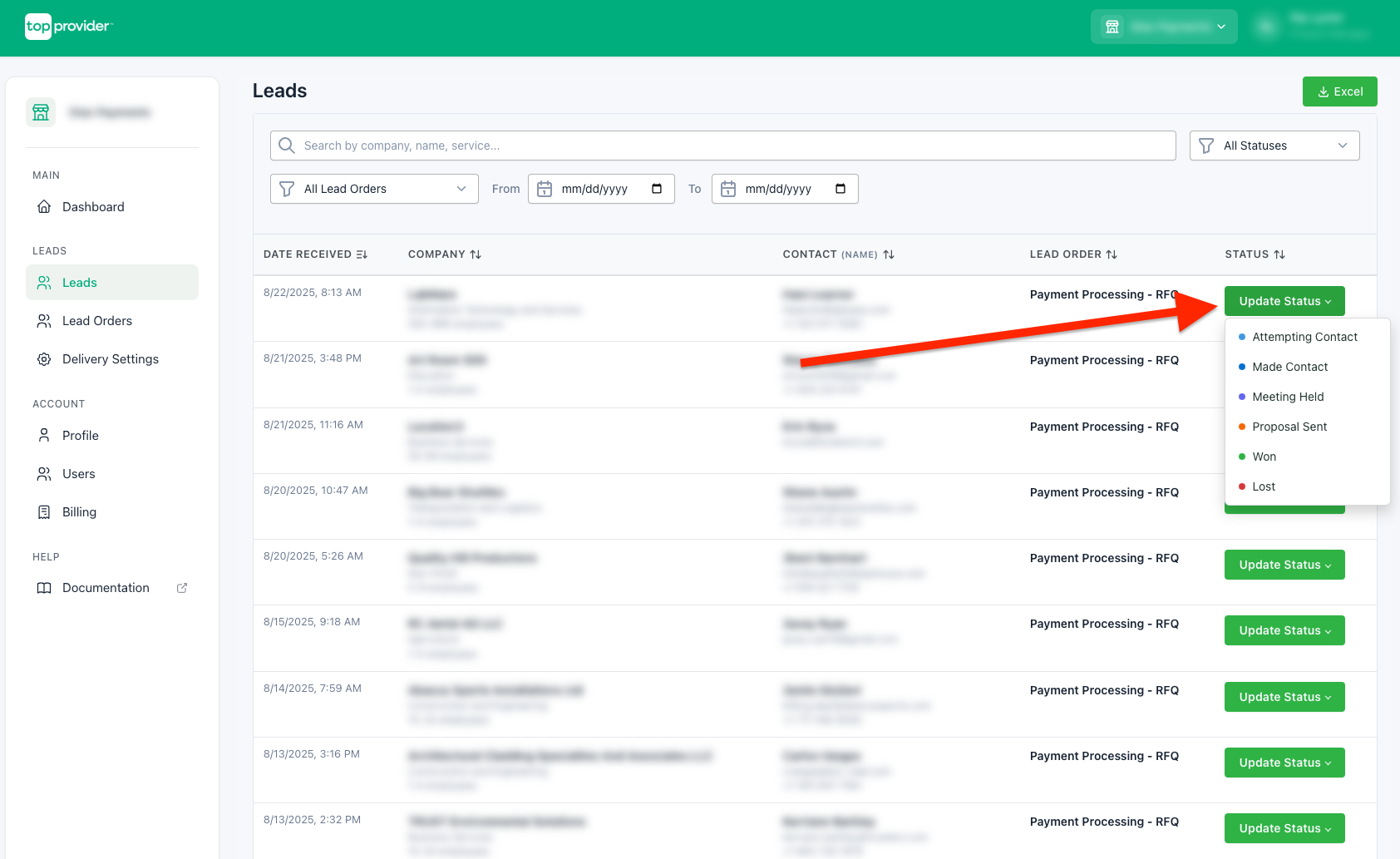
Updating Lead Status
Choose the appropriate status from the dropdown whenever a lead advances. If the lead is lost, mark it as Lost and select the reason:
- Went with a competitor
- Not ready to buy
- Solution not a fit
- No longer interested
- Unable to reach
Advanced Features
Lead Filtering
Use the status filter to view leads in a specific stage or show them all. Combine it with date ranges, lead order, or search terms for finer control.
Export Capabilities
Export your lead data to Excel for deeper analysis:
- Use the Excel Export button to download a complete dataset with full status history
- Apply filters first to export a specific subset of leads (e.g., by date range, status, or lead order)
- Exported data includes all disposition tracking information for comprehensive reporting
Best Practices
Consistent Status Updates
Update statuses as soon as a lead progresses, choose the most accurate option, and include a reason when you mark a lead lost.
Pipeline Management
Review your pipeline regularly to find stalled leads, schedule follow-ups based on status, and make sure everyone understands what each stage means.
Conclusion
Lead disposition tracking is a fundamental tool for modern sales management. Consistent use of statuses gives you a clear pipeline, improved performance, stronger accountability, and more revenue. Start using it today to better manage your leads and close more deals.